Voice messages

For the programming voice messages in this section, you can view and set up to 100 messages:
|
|
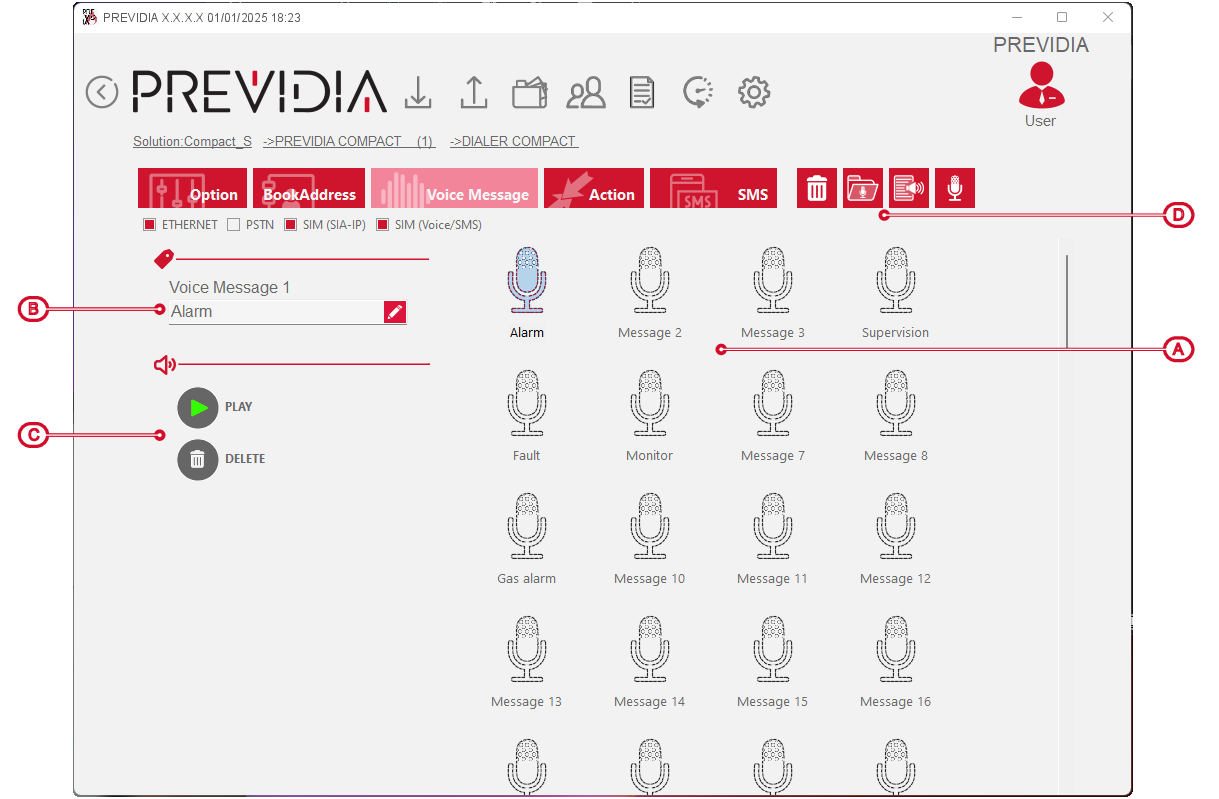
After selecting one of the available messages, you can carry out the following operations:
-
Change the 20 character string the control panel will use to identify the message
-
Replay the message (valid only for edited messages)
-
Discard changes (valid only for changed messages)
-
Discard all changes to all messages (except label changes)
-
Upload a .wav file from your PC to use as a message
-
Edit a text that will be used as a message using text-to-speech software
-
Record the message with one of the microphones available on the PC in use