Events log
By connecting to the control panel, it is possible to download and view the control panel events log on the PC.

The “Events log” button accesses the viewing section of the control panel events log via a table, in which each row refers to a single event and the columns show the details.
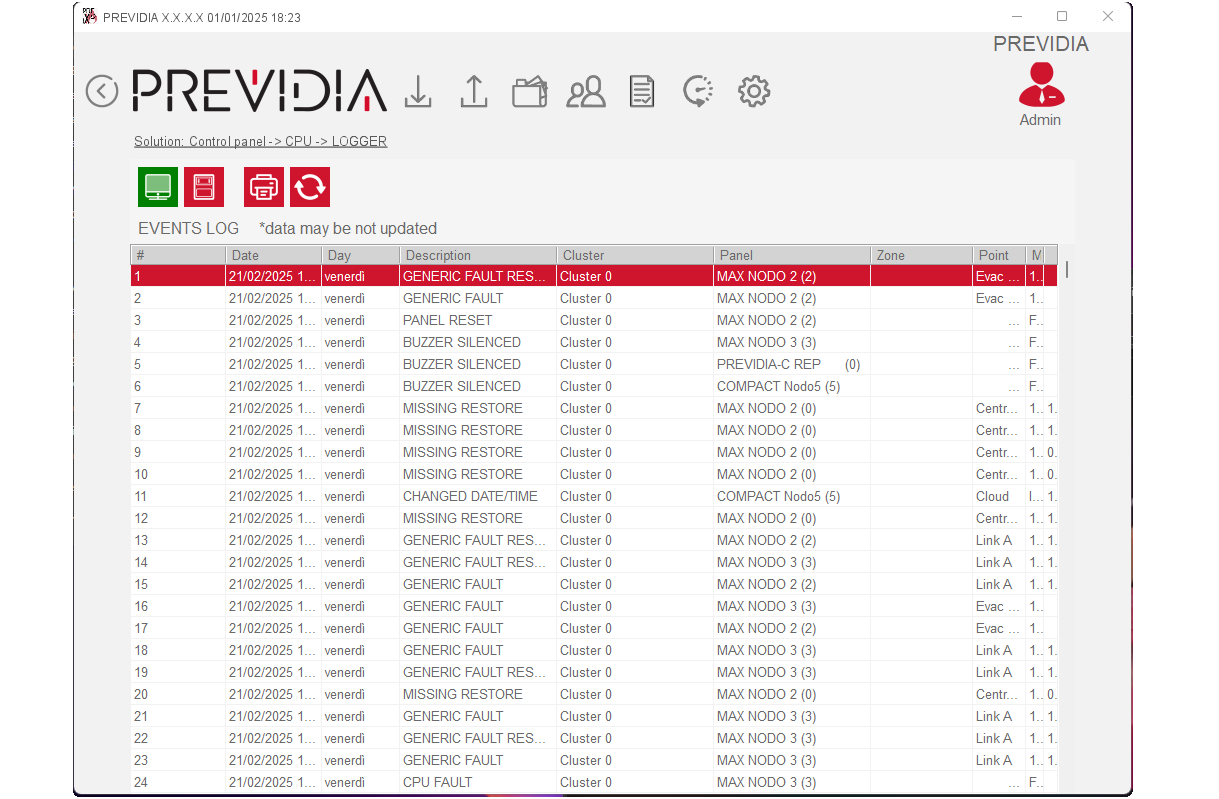
The Previdia control panel can record up to 2000 events. If this limit is exceeded, the latest events will be recorded and will overwrite the oldest events. The Previdia/STUDIO software can save up to 20,000 events. It is possible, therefore, to access both memories via the appropriate buttons:
|
View history off-line |
|
Viewing the history, that is all the events downloaded from the control panel and stored with the solution in progress |
|
View control panel data |
|
Visualization of the control panel events log |
|
|
|
Button to start the events log print-out |
|
Read control panel events log |
|
Button to start downloading the events log |