Groups real-time

By accessing real time whilst in the output group programming section, the software connects directly to the system and shows the status of the configured groups via the colour of the relative icons:
|
|
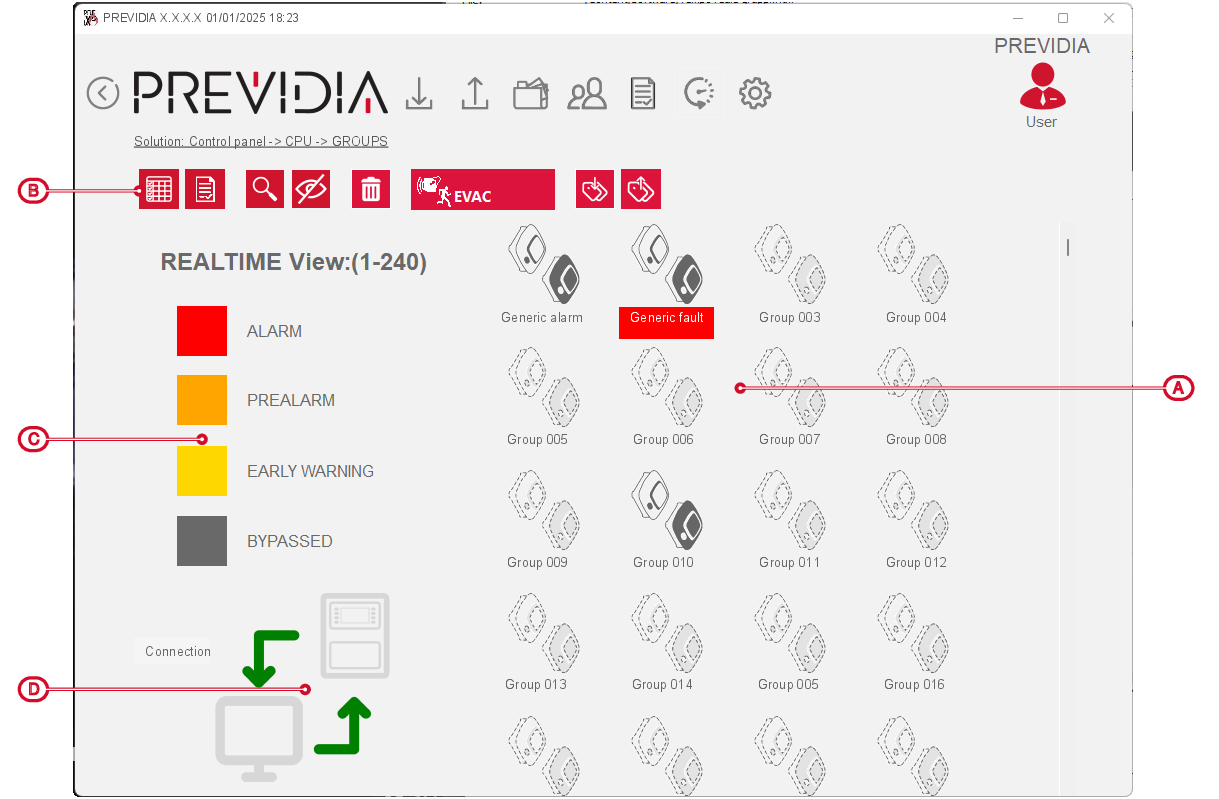
The status of each group is represented by a specific colour, as shown in the caption on the left, and results from the activation of the outputs that make up the group.
|
ALARM |
Activation of alarm, evacuation or extinction signals |
|
PREALARM |
Activation of pre-alarm signals |
|
EARLY WARNING |
Activation of alarm early-warning signals |
|
BYPASSED |
Bypassed group |
|
STAND-BY |
Group in stand-by status |

The icon on the bottom left of the section [D] shows the status of the direct connection with the group:
-
green arrows – connected
-
red arrows – disconnected
