Audio zones
The control panel identifies itself as an audio zone, a set of loudspeaker lines that transmit the same audio reproduction at the same time.

Audio zone programming is accessible via the appropriate button. In this section you can view and set up as many as a 1000 zones:
|
|
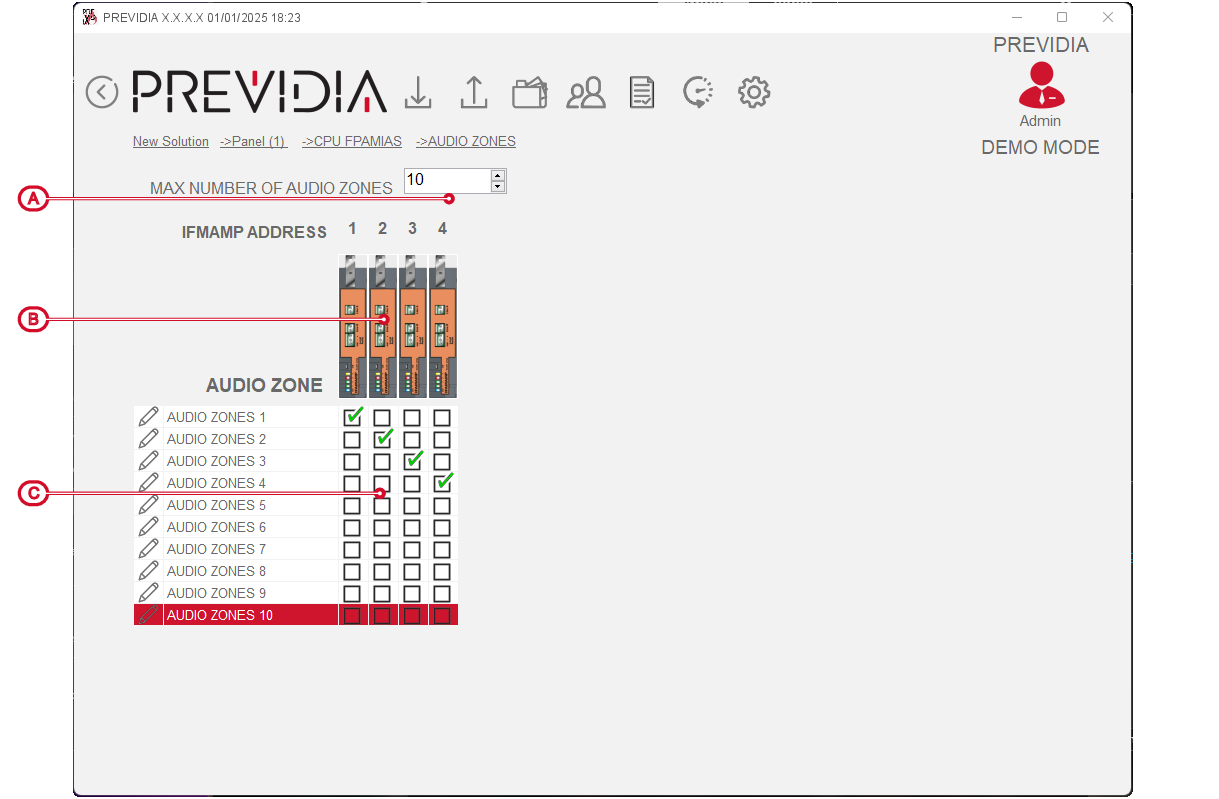
After having indicated how many audio zones to use ([A], by default 10, out of 1000) it is possible to assign one of these zones to each IFAMAMP module in the configuration.
By clicking on the icon of one of these modules you access the programming phase of the selected module.

By double clicking on the button relating to each of the zones used, it is possible to access the programming phase of the relative parameters:
-
Label – 20 character string that identifies the audio zone.
-
Scenario – for each of the 4 available scenarios you can select the messages relating to the control panel statuses for:
-
evacuation
-
alert
-
staff alert
-