Programming of the FPAMIAS module

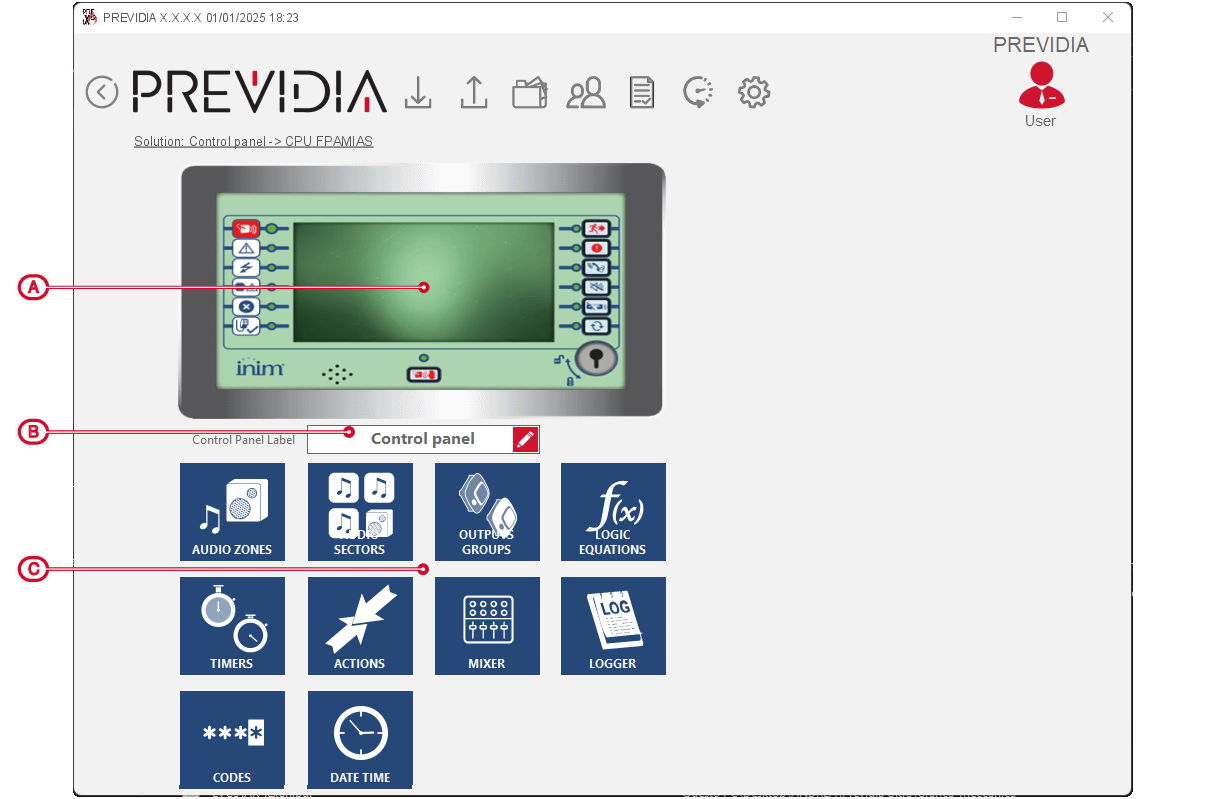
By selecting from the Previdia Ultra control panel programming page, the layout of the front-plate module for managing voice functions, you access its configuration page:

[A] 

Button to access the programming of the module

[B] 

Label of the control panel equipped with the FPAMIAS module

[C] 

Buttons to access the programming of the logic functions of the voice emergency system

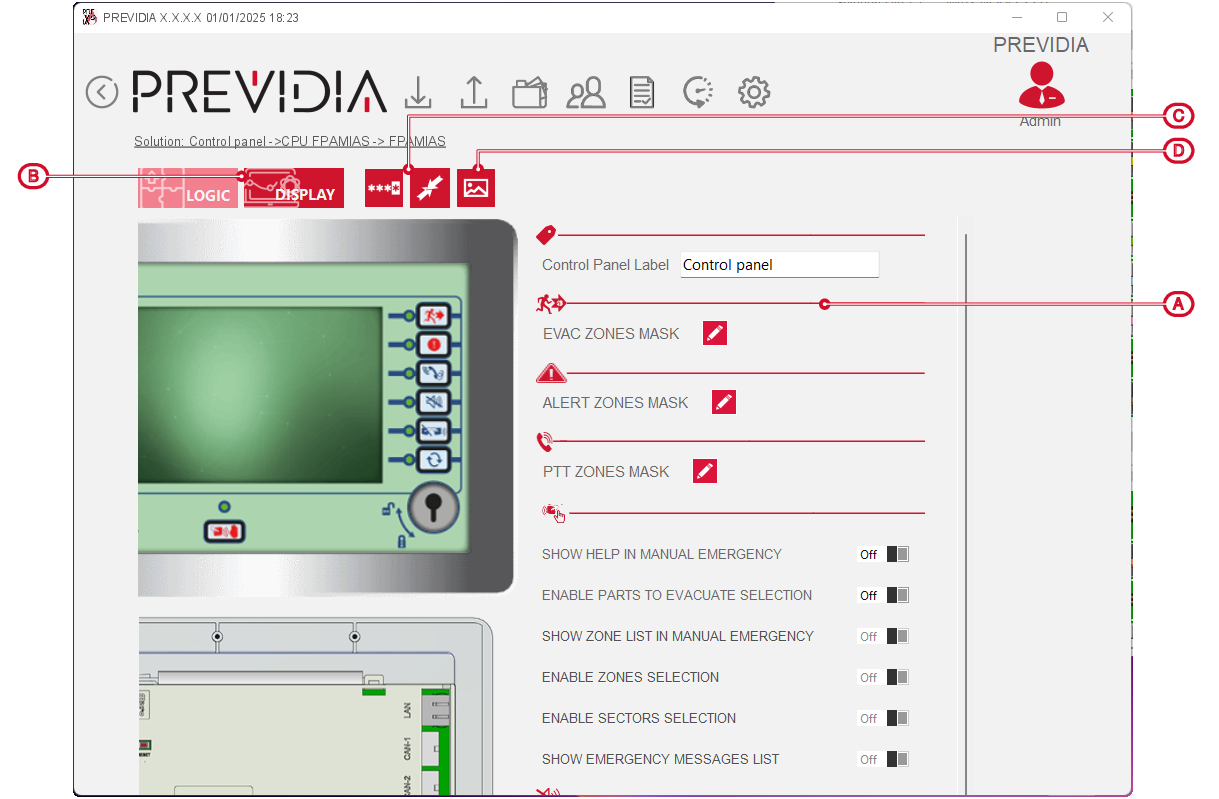
By clicking on the FPAMIAS module icon you access the programming section directly:

[A] 

Parameters and options of the programming of the module

[B] 

Buttons to access the “Logic” sections (active section) and “Display

[C] 

Buttons to access the “Codes” and “Actions” logic functions of the voice emergency system

[D] 

Button to access the “Control panel Images” section where you can upload up to 100 image files to the system for customization of the display